GROM Audio Logo

Greetings!


We’ve launched our new car sound upgrade accessories, amplifier replacement interfaces, and OEM matching harnesses category, and the Amplinq beta program is now in full swing. Also, check out our latest install videos to learn how to reset wireless CarPlay and Android Auto on the VLine VL2 and VLite VT2.

Car Sound Upgrade Accessories

Amplinq Car Audio Upgrade Bundles

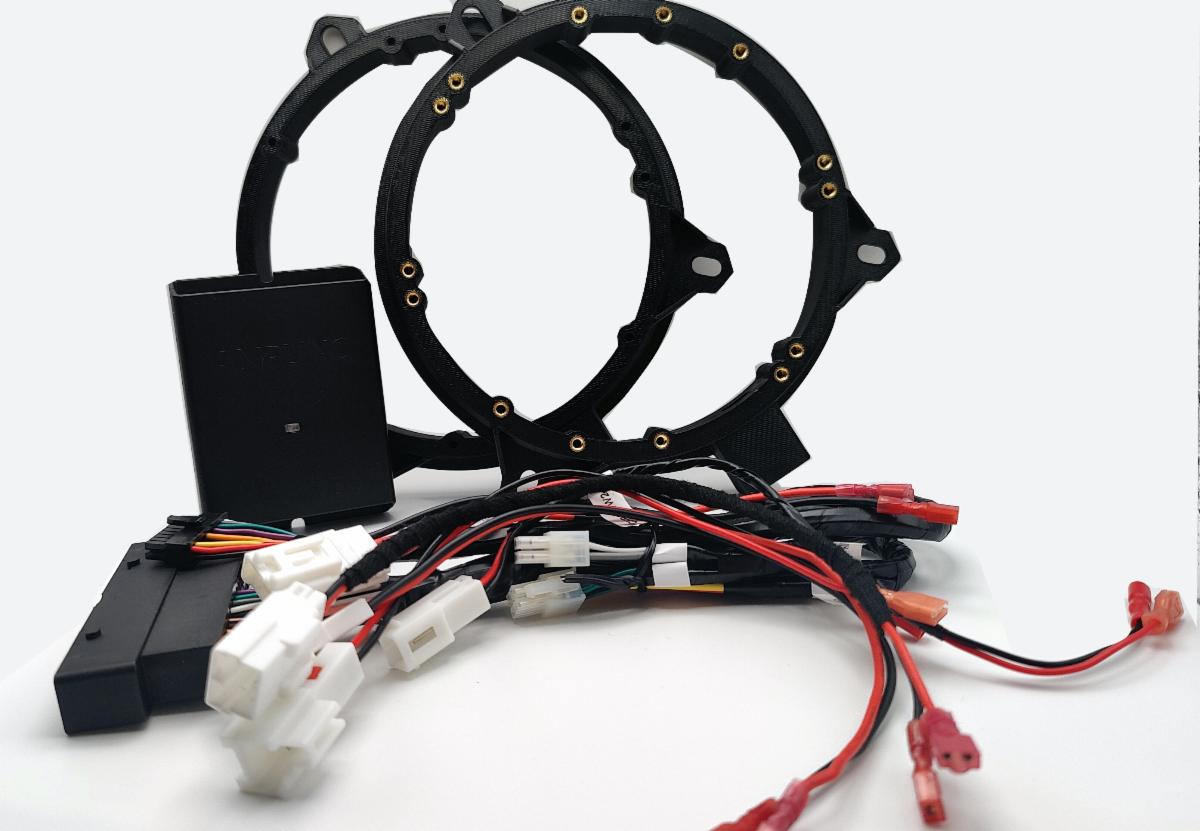
We've launched the new category - Amplinq Car Audio Upgrade. Our custom harnesses, connectors, and adapters make it easy to replace the door speakers, tweeters, subwoofers, and amplifiers in your vehicle with ease. The Amplinq amplifier retrofit interface will let you swap an amplifier in your vehicle.


With our Amplinq package, you can:

Remove the factory amplifier completely

Add your choice of high-performance aftermarket amplifier(s) and DSP(s)

Upgrade speakers, tweeters, and subwoofers

Retain all factory wiring, connectors, and integration


We designed our sound upgrade packages to make it easier for you to upgrade your car's sound and ensure the new components fit as OEM. No more playing the guessing game. You can now take advantage of our research and development and order pre-packaged bundles.


Currently available for select Toyota and Lexus vehicles.

Amplinq car sound upgrade beta

Lexus LX470 2002 got sound upgrade

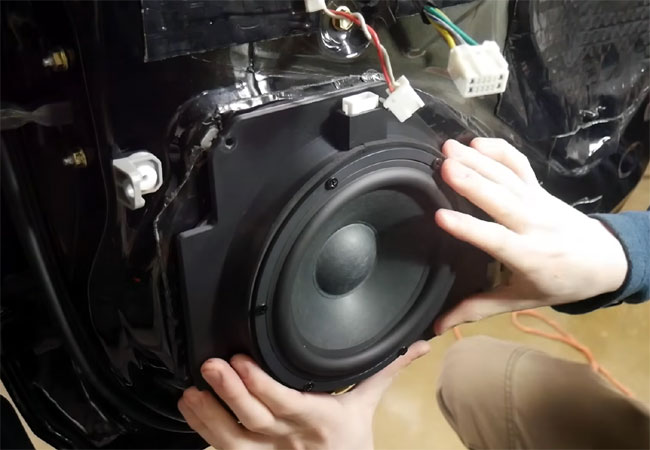
Our team recently worked on a 2002 Lexus LX470 with Mark Levinson to install Amplinq and upgrade speakers, subwoofers, and amplifiers. We were able to achieve high clarity sound and drastically improve the customer's driving experience.


Watch the video of us replacing the door speakers and tweeters, and installing the sound deadening materials >>


If you are local to the Plano, TX area, you now have a chance to participate in our Amplinq Sound Upgrade beta program and finally enjoy the car sound of your dreams. You will get a free professional installation by our team and high-clarity, precisely tuned sound. Learn more >>

VLine Software Update 5.3.00

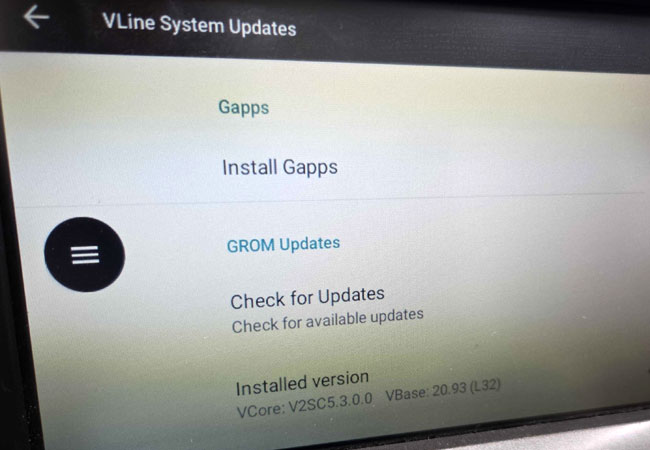
New Software Update for VLine VL2

VLine VL2 gets a new software update 5.3.0.0. Connect the system to Wi-Fi, go to Settings -->System -->VLine System Updates --> Check for updates

Watch the video that explains how to update the firmware and software on VLine VL2 >>

Read the changelog here >>

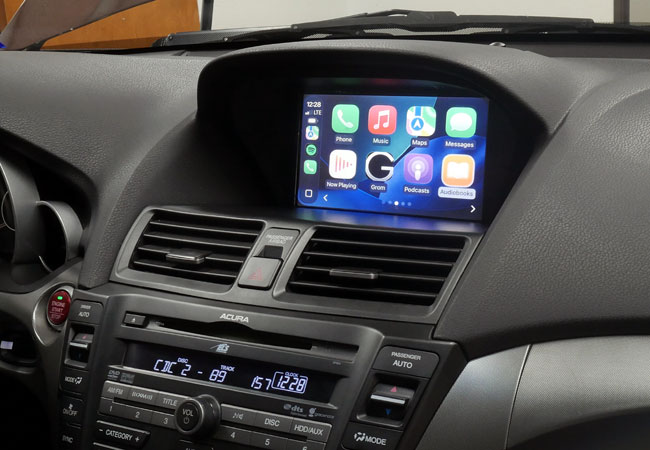
CarPlay on OEM stereo of Acura TL 2010

Latest demo and how-to videos

How wireless CarPlay & Android Auto work on Acura TL 2009-2011 - HON2VL2

We show how you can access the VLine mode of your stereo, how to listen to FM radio while in VLine mode, and how to use the factory knob to browse the applications. You can also see how to key-map certain car stereo buttons to specific CarPlay / Android Auto functions. The compatible VLine VL2 model is HON2VL2.


How to install VLine VL2 in Acura TL 2009-2011 with navigation - HON2

In this video, we show how to install the VLine VL2 system HON2VL2 in a 2009-2011 Acura TL with factory nav. This includes connecting a REV wire (a required connection).


How to install GROM VLine VL2 in Chevrolet SS 2014-2017 - GM1

Step-by-Step Installation of the VLine VL2 System (GM1VL2) in Chevrolet SS 2014-2017 with MyLink/IntelliLink 7/8-inch screen.


How to reset wireless CarPlay and Android Auto - VLine VL2 and VLite VT2

We released new video clips that explain how to reset wireless CarPlay and Android Auto on VLine VL2 and VLite VT2. The procedures are slightly different for VLine VL2 and VLite VT2. Watch what is applicable to you:

CarPlay reset on VLine VL2

CarPlay reset on VLite VT2

Android Auto reset on VLine VL2

Android Auto reset on VLite VT2


Do you have a suggestion for our next how-to video? Send it to us via our contact form!

VLine VL2 Main Module Glove Box Placement
GROM Technical Tips
for CarPlay and Android Auto

Where to mount GROM VLite VT2 or VLine VL2 main module

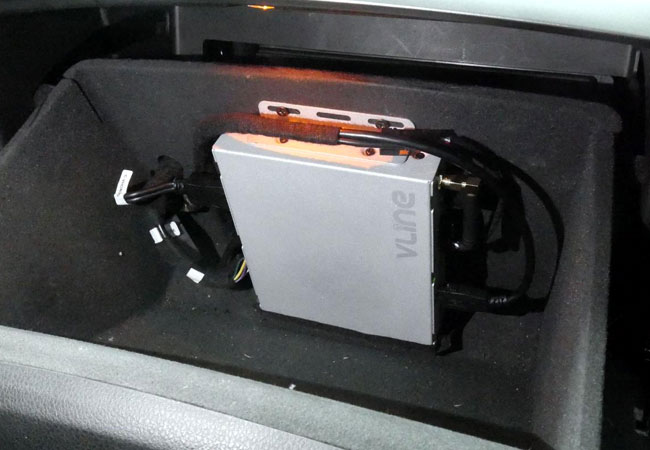
Mount the main "brain" unit in an accessible location such as the glove compartment. It will preserve the unit's Bluetooth antenna and its reception while making the unit accessible for future upgrades and service. Read more here >>


CarPlay phone calls are distorted and sound bad - what to do?

For iOS 16.4 and later, if the CarPlay phone calls sound poor, disable the new call feature, Voice Isolation. Here is how >>


CarPlay spoken directions volume is too low. How to adjust it?

If the CarPlay spoken directions volume is too low, go to SETTINGS -> MUSIC -> SOUND CHECK on your iPhone and turn the Sound Check "Off." Here is how to >>


VLine VL2 / VLite VT2 misbehaves - here are the very first troubleshooting steps to take

If you experience trouble connecting CarPlay or Android Auto, or encounter any other issues using the GROM VLine VL2/VLite VT2 system, follow these two troubleshooting steps before contacting our technical team: reboot the system and update the firmware and software. Here is how >>


How to adjust display brightness/contrast for VLine VL2 / VLite VT2

The CarPlay, Android Auto, and VLine user interface may appear slightly washed out after installation on some lower-resolution stereos. It mainly applies to "older" Lexus, Toyota, Nissan, and Infiniti stereos.


Adjust the display brightness and contrast to your liking and best performance while in CarPlay or Android Auto mode. See the how-to video.

Local Plano TX Installation Services
Looking for professional installation?
If you are local to Plano, TX area, we offer installation services for the VLine VL2 or VLite VT2 system in your vehicle. We can also refer you to one of the local stereo shop partners that can help you with the installation.

People outside of the Plano, TX area can look up qualified installers using our installer lookup tool.
Order now - pay later
0% APR for 6 Months with PayPal Credit
PayPal offers 0% APR for 6 (six) months on purchases of $99 and more.
Select PayPal Credit upon checkout.

Available for all products, including VLine Infotainment System.
Questions? Contact us at https://gromaudio.com/support.html

Drive happy!
June 2026 Newsletter Special - $60 off VLine VL2 or VLite VT2 system

The coupon is valid until June 17th, 2026, at 3:00 p.m. Central Time. It is applicable at https://gromaudio.com and cannot be used in conjunction with special offers, pricing, or applied to previous orders.