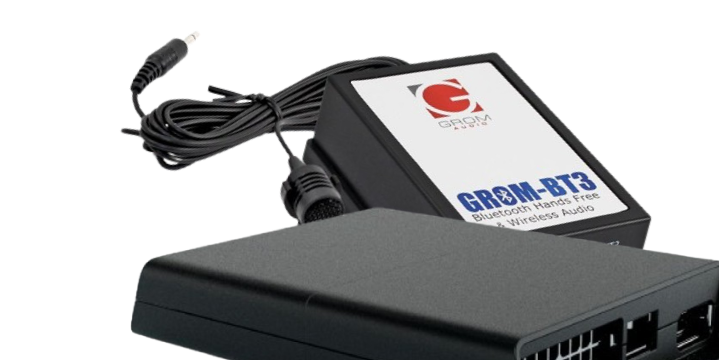
Lexus GS 350 2012-2020 CarPlay Android Auto System Demo with VLite VT2 LEX78
In this video we show how the VLite VT2 infotainment system for CarPlay Android Auto (model LEX78)
works, connected to Lexus GS 350 2012-2020 factory car stereo with OEM navigation. Note that Lexus GS 2012-2015 will use the portion of the screen, while
on Lexus GS 2016-2020 CarPlay and Android Auto will take over the entire car stereo display.
Once VLite VT2 is connected to your car stereo, you get the following functionality:
Smartphone integration:
- CarPlay - both wired and wireless
- Android Auto - both wired and wireless
In this video, we explain the following functionality:
- how to access the VLine VL2 / VLite VT2 mode of this stereo to access CarPlay and Android Auto. You need to get to the AUX mode of the stereo by pressing the MEDIA button;
-how to prevent the screen from flipping back to the factory user interface. On some Lexus stereos, you need to disable the AUTO SCREEN CHANGE. Otherwise, the stereo will keep flipping back to the factory user interface;
-how to disable or enable the haptic feedback for Lexus mouse operation;
-how to disable the screen flip to the factory user interface to see the factory climate controls;
-how to use the factory backup camera (tip - it will work as it is now; the VLine VL2 or VLite VT2 system does not affect the functionality of the factory backup camera. No special steps or connectors are required)
-The same functionality applies to the GROM VLine VL2 system LEX78VL2
VLite VT2 and VLine VL2 are fully integrated into your car stereo. You can use the car stereo and steering wheel controls to operate VLine VL2 or VLite VT2.
In addition, VLite VT2 or VLine VL2 does not disable any factory features, such as FM or climate controls.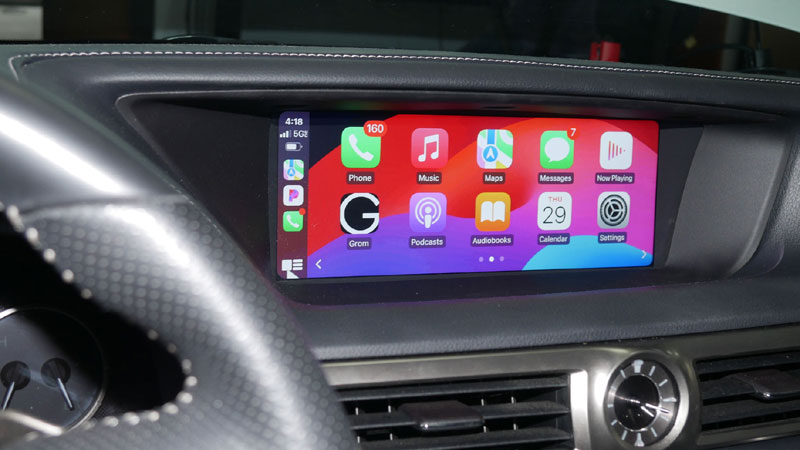
More info is available at http://gromaudio.com/store/vline