HomeInstallsVLINE Tech Tip - how to toggle climate control overlay for CarPlay Android Auto
VLine VL2 VLite VT2 Tech Tip - how to toggle climate controls overlay.
When using
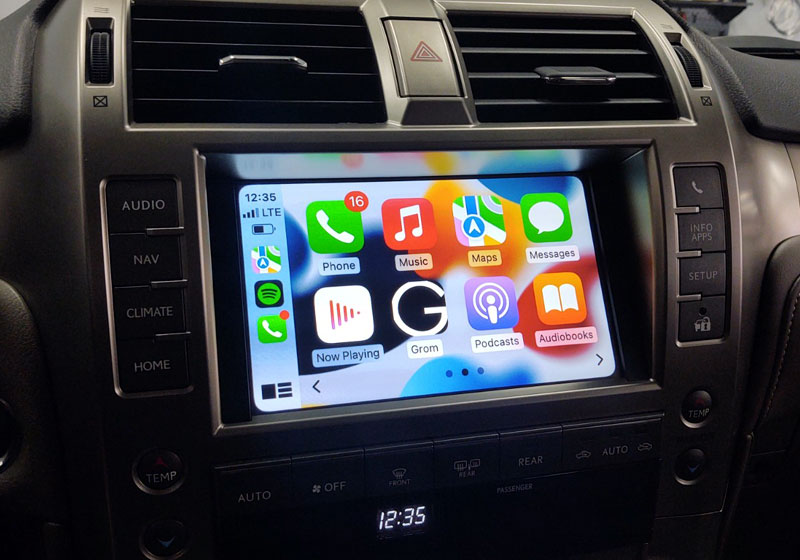
VLine VL2 CarPlay Android Auto system or VLite VT2 System, you can toggle the
climate control overlay on or off. It depends on your
preferences and also on your factory car stereo, if you want to see the temperature overlay on top of your
CarPlay or Android Auto screen. Watch how:
What is VLine?
VLine is a connected car infotainment system for many factory stereos. VLine fully integrates into your OEM car stereo, providing access to the latest automotive technology:
Maps (Google, Waze, and others), Music Apps (Spotify, Web Radio, Google Music, etc.), Wireless CarPlay and Android Auto integration, right through the factory stereo system.
We are not liable for any damages incurred during your installation process. If you are unsure about your ability to perform the installation, please seek help from a professional.
Copyright notice:
All materials and contents are the property of GROM Audio.
International copyright laws protect the material and content on this site.
You may not modify, duplicate, reproduce, publish, upload, transmit, or distribute in any way (including by way of email, facsimile, or other electronic means) material and content from this site, unless specified, without written permission from gromaudio.com. You may download certain content or materials on specified pages from this site for personal, non-commercial use only.
All other logos, banners, and certain content not affiliated or owned by GROM Audio are the sole property of the rightful owner.